Before forwarding to the group: how to check dramatic news, screenshots and voice messages
A convincing screenshot and a familiar voice are not enough to confirm a story. Checking the source, date and context can help you decide what to share, what to correct and when simply to wait.
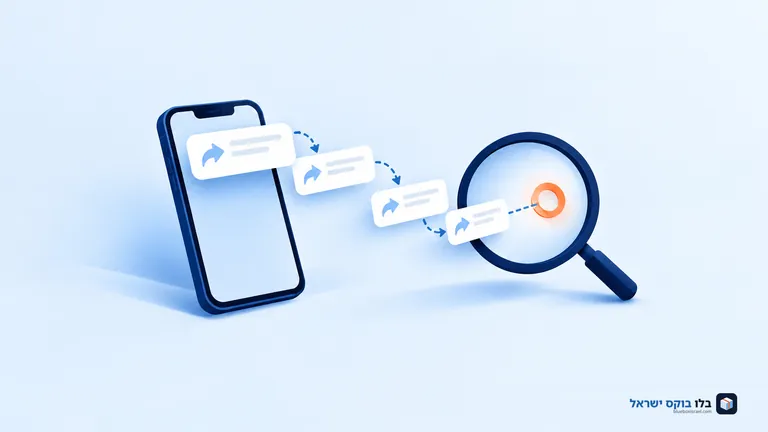
A message arrives in the family group with a screenshot, an urgent headline and a request to forward it to everyone. You know the sender well. The person who originally published it, however, is nowhere to be seen. Before tapping the arrow, look for three things: a source you can access, a date that fits the claim, and context explaining what you are actually seeing or hearing.
You will not always be able to determine whether a message is true. That is a useful outcome too: you can avoid spreading it without declaring that someone lied. The aim is not to turn every group member into an investigator, but to know what to check, when there is a basis for sharing and when evidence is still missing.
Start with the source, not the person who forwarded the message
A relative may forward information out of genuine concern without knowing where it came from. The World Health Organization recommends checking the source even when information comes from friends or family. A useful question for the sender is who first published it and whether they can provide a link to the publication itself. Saying that a friend of a friend works there does not let you check what that person knows or the context in which they said it.
Try searching for a distinctive sentence from the message. If it names a reporter, institution or public body, look for the publication on their own channel. Visit other pages too, to understand who is behind an unfamiliar source. Reading a website's About page is a start, but it does not replace outside information about the publisher.
Notice the route a claim takes. Three websites and ten channels may all be quoting a single anonymous message. In that case, you have found widespread circulation, not ten separate pieces of evidence. Another source is useful when it contributes evidence of its own, such as a document, a direct response or reporting that explains how the information was gathered. More principles for evaluating a source and its claims are explained in the guide to reading information critically.
Even an official statement needs to be read carefully. It can establish that a particular body announced something, but that does not mean every assessment it contains has been independently proven. If the source uses words such as suspicion, investigation or assessment, there is no reason to turn them into absolute facts in the message you forward.
The screenshot is real, but does it tell the right story?
A screenshot does not give you everything on the original page. The date, a paragraph qualifying the headline or a later clarification may have been cropped out. The text or image can also be altered. Look for the headline on the website it is attributed to, and compare the wording, image and story itself, rather than relying on a familiar logo.
FactCheck.org's guide to checking news emphasizes reading beyond the headline and checking the date. These are two separate tests: when the article was published, and when the event it describes took place. A new article may cover an old event; an old screenshot may reappear with the word "now" attached. "Today" and "tomorrow" are also unhelpful unless you know when the original message was written.
Check the place and audience the information concerns too. An announcement about changed school hours in one city is not necessarily relevant to the next city. Instructions for a particular institution are not an announcement covering the entire education system. Look for the locality, effective date, hours and institutions affected. These small details determine whether the information is useful to you.
If you cannot find the source, do not rush to conclude that the screenshot is fake. The page may have been deleted, the post may have restricted visibility, or the search may not have found it. The precise conclusion is that you have been unable to verify the attribution. Ask the sender for a link and wait, rather than spreading a new suspicion while trying to correct the old one.
A short process for checking a message before sharing
You do not need to perform every possible check on every message. Start with the central claim and proceed according to the material you received:
- State exactly what is being claimed. Distinguish reporting of an event from a prediction, interpretation or request to do something. If the message claims that a place has closed, check the closure itself, not just whether the attached picture is real.
- Find the original publication. Ask for a link or search for a sentence from the message. Check the author, the basis for their knowledge and whether they provide a document or testimony that can be examined.
- Compare the time, place and context. Open the full text and check the date, locality, intended audience and conditions. Make sure a screenshot has not left out something that changes the meaning.
- Look for confirmation suited to the claim. For protective instructions, consult the Home Front Command; for a police announcement, check police publications; for a school matter, compare the institution's update with the local authority's. If there is another report, check that it is not simply quoting the same message.
- Decide what you can say. If you find supporting evidence, share the source with the date and relevant qualifications. If the claim has been disproven, correct it. If it remains unresolved, there is no need to pass it on.
During an alert or immediate danger, follow the relevant protective instructions without delaying action to investigate a group message. For routine checks, use the Home Front Command portal or official app, and check education announcements through the school's and local authority's familiar channels. A forwarded message is no substitute for the current instructions applying wherever you are.
If a message requests a password, payment details or account access, another question arises beyond the reliability of the news. Our guide to checking suspicious messages from banks and government bodies covers that issue. Here, the focus is on checking the claim the message spreads.
An image search can uncover missing context
A photograph of a real event can appear alongside an incorrect description of its location or date. A reverse image search helps find other uses of the same photograph. The important result is not just a similar image, but the page where it appeared, its date and the accompanying explanation.
Google's instructions say that on a phone, you can open the Google app, select the Lens icon and choose a saved image. On a computer, select search by image and upload a file; in Chrome, you can also right-click an image on a website and choose to search with Google Lens. Option names may vary between versions and languages. If a screenshot includes the surrounding conversation, focus the selection on the image itself.
Google Lens may also show similar images that are not the same photograph. Open the results and compare details rather than drawing a conclusion from a thumbnail. Another tool, TinEye, lets you upload an image or enter its address to find copies. The Oldest option shows the images the service found earlier first, not necessarily the world's first publication or the date the photograph was taken.
If the same photograph appears in a reliable publication from years ago, that contradicts a claim that it was first taken today. It still does not prove that every detail in the old caption is correct. And if a search finds nothing, that does not establish authenticity: the image may not be included in the database the tool searches.
Before uploading to an external service, check whether the file contains phone numbers, children's names or a private conversation. Keep the original and prepare a search copy without unnecessary details. Do not upload sensitive material simply because the tool is available; check the service's policy and consider whether a publicly available image would suffice.
Even a polished image and a familiar voice need source checks
When an unusual image appears, it is tempting to look for strange fingers, shadows or details that seem unnatural. These may raise questions, but they are not enough to establish that an image was AI-generated. An entirely convincing image does not prove that the event happened as described either.
The US National Institute of Standards and Technology, NIST, explains in a report on synthetic content that no single technical method provides a complete solution. Detection tools may flag genuine content as synthetic or miss computer-generated content. A percentage displayed by a detector is a tool's result, not a verdict to forward to a group without further checks.
Source and editing information, such as Content Credentials, also answers a limited question. C2PA distinguishes information about a file's history from the truth of the content it depicts. Such information may disappear during transfer or processing, so its absence is not proof of forgery. When it is present, check what it actually says rather than relying on the mere appearance of a label.
For voice messages, start with the same question: who recorded this, and when? A voice resembling someone familiar, a confident delivery or a reference to a senior role does not verify the story. In the context of voice-cloning impersonation, the US Federal Trade Commission recommends making contact using a number already known to belong to the person. For a news recording, look for the speaker's original publication or contact them through a known channel. If the speaker is unidentified, say so instead of describing them as an authoritative source.
Already shared misinformation? Send the correction to the same group
When a shared message turns out to be wrong, deleting it alone does not explain the mistake to people who have already read it. Post a correction in the same group or conversation, identify the message it concerns, and provide the accurate information and its source. There is no need to copy the whole rumor again or add a new dramatic headline.
One possible wording is: "A correction to the message I shared earlier on this subject: the detail I wrote was wrong. The source I checked gives the correct information as follows. If you forwarded the message, please pass on this correction too." Fill in the relevant details and take responsibility for sharing without blaming the person who forwarded it to you.
If you have found no contradiction, only a lack of confirmation, say that explicitly: "The checks so far have not found a source confirming the claim, so there is no basis for presenting it as fact." The distinction matters. A responsible correction does not replace one excessive certainty with another, and adding "unverified" to the original message does not supply evidence for it.
Group administrators can establish a simple rule: add a source and date to dramatic messages, and publish a visible correction if an error is found. You can contact the sender privately and ask for help without turning the discussion into a personal confrontation. Readers who want to learn more about media literacy and critical thinking can also explore the learning and media guides at 23TV.
The next time an urgent message arrives, the first step may be as simple as asking for the original link. If the source exists, you can read what it actually said. If it is missing, you already know what information needs to be supplied before tapping share.